1. 上传图片并裁剪
- 上传图片
<el-upload
    class="image-uploader"
    action=""
    list-type="picture-card"
    :file-list="form.uploadList"
    :on-remove="handleRemove"
>
    <div @click.stop="handleOpenUploadDialog">
        <i class="el-icon-plus"></i>
    </div>
    <div slot="tip" class="el-upload__tip" >只能上传jpg/png/jpeg文件,且不超过5MB</div>
</el-upload>

<!-- 裁剪图片弹窗 -->
<el-dialog
    title="上传图片"
    :visible.sync="cropperVisible"
    width="760px"
    append-to-body
    @opened="modalOpened"
    @close="closeDialog"
>
    <el-row>
        <el-col :xs="24" :md="12" :style="{height: '400px'}">
            <vue-cropper
                ref="cropper"
                :img="cropperImg"
                :info="true"
                :autoCrop="options.autoCrop"
                :autoCropWidth="options.autoCropWidth"
                :autoCropHeight="options.autoCropHeight"
                :fixedBox="options.fixedBox"
                :outputType="options.outputType"
                @realTime="realTime"
                v-if="visible"
            />
        </el-col>
        <el-col :xs="24" :md="12" :style="{height: '400px'}">
            <div class="advert-img-box">
            <img :src="previews.url" :style="previews.img" />
            </div>
        </el-col>
    </el-row>
    <br />
    <el-row>
        <el-col :lg="2" :sm="3" :xs="3">
            <el-upload
                action=""
                :http-request="handleUpload"
                :before-upload="beforeUploadImg"
                accept="image/png, image/jpeg, image/jpg"
                :show-file-list="false"
            >
            <el-button size="small">
                选择
                <i class="el-icon-upload el-icon--right"></i>
            </el-button>
            </el-upload>
        </el-col>
        <el-col :lg="{span: 1, offset: 1}" :sm="2" :xs="2">
            <el-button icon="el-icon-plus" size="small" @click="changeScale(1)"></el-button>
        </el-col>
        <el-col :lg="{span: 1, offset: 1}" :sm="2" :xs="2">
            <el-button icon="el-icon-minus" size="small" @click="changeScale(-1)"></el-button>
        </el-col>
        <el-col :lg="{span: 1, offset: 1}" :sm="2" :xs="2">
            <el-button icon="el-icon-refresh-left" size="small" @click="rotateLeft()"></el-button>
        </el-col>
        <el-col :lg="{span: 1, offset: 1}" :sm="2" :xs="2">
            <el-button icon="el-icon-refresh-right" size="small" @click="rotateRight()"></el-button>
        </el-col>
        <el-col :lg="{span: 2, offset: 6}" :sm="2" :xs="2">
            <el-button type="primary" size="small" @click="uploadImgSure">确 认</el-button>
        </el-col>
    </el-row>
</el-dialog>
安装 裁剪插件 npm i vue-cropper
import { VueCropper } from 'vue-cropper'
import { debounce, videoSize } from '@/utils'
export default{
    components: {
        VueCropper
    },
    data(){
        return{
            form: {
                uploadList: []
            },
            cropperImg: '', // 裁剪图片
            cropperVisible: false, // 控制裁剪图片弹窗显示隐藏
            visible: false, // 是否显示cropper
            options: {
                img: '', //裁剪图片的地址
                autoCrop: true, // 是否默认生成截图框
                autoCropWidth: 200, // 默认生成截图框宽度
                autoCropHeight: 300, // 默认生成截图框高度
                fixedBox: true, // 固定截图框大小 不允许改变
                outputType:"png" // 默认生成截图为PNG格式
            },
            resizeHandler: null,
            previews: {},
            fileUpload: {},
        }
    },
    methods: {
        // 打开上传图片的弹窗
        handleOpenUploadDialog(){
            this.cropperImg = ''
            this.cropperVisible = true
        },
        // 打开弹出层结束时
        modalOpened(){
            this.visible = true;
            if (!this.resizeHandler) {
                this.resizeHandler = debounce(() => {
                    this.refresh()
                }, 100)
            }
            window.addEventListener("resize", this.resizeHandler)
        },
        // 刷新组件
        refresh() {
            this.$refs.cropper.refresh();
        },
        // 关闭弹窗
        closeDialog(){
            this.visible = false;
            window.removeEventListener("resize", this.resizeHandler)
        },
        // 实时预览
        realTime(data) {
            this.previews = data;
        },
        // 向左旋转
        rotateLeft() {
            this.$refs.cropper.rotateLeft();
        },
        // 向右旋转
        rotateRight() {
            this.$refs.cropper.rotateRight();
        },
        // 图片缩放
        changeScale(num) {
            num = num || 1;
            this.$refs.cropper.changeScale(num);
        },
        // 上传图片前
        beforeUploadImg(file){
            const suffix = file.type === 'image/jpg' || file.type === 'image/png' || file.type === 'image/jpeg'
            const isLt1M = file.size / 1024 / 1024 < 5
            if (!suffix) {
                this.$message.warning('上传的图片只能是JPG,PNG,JPEG 格式!')
            }
            if (!isLt1M) {
                this.$message.warning('上传图片大小不能超过5MB!')
            }
        },
        // 确认上传图片
        uploadImgSure(){
            if(this.cropperImg && this.cropperImg != ''){
                this.$refs.cropper.getCropBlob(data => {
                    let formData = new FormData()
                    // 判断的依据,是否是更新,更新是没有文件名的,更新要把缓存的数据转成file类型,目前是glob;
                  // 转换成file类型,可以根据后端接收类型自行转换成glob或者file格式
                    let file = new File([data], typeof(this.fileUpload.name) == 'undefined' ? this.cropperImg : this.fileUpload.name, { type: data.type,lastModified: Date.now()})
                    file.uid = Date.now()
                    formData.append("file", file)
                    // 调接口
                    advertiseUpload(formData).then(res => {
                        if(res.code == 200){
                            this.cropperImg = process.env.VUE_APP_BASE_API + res.data
                            this.form.uploadList.push({
                                uid: Math.random().toString().slice(-6),
                                url: process.env.VUE_APP_BASE_API + res.data
                            })
                            this.uploadImgList.push({
                                uid: Math.random().toString().slice(-6),
                                url: res.data
                            })
                            this.visible = false
                            this.cropperVisible = false
                        }
                    })
                });
            }else{
                this.$message.warning('请先上传图片')
            }
        },

        // 移除图片
        handleRemove(file, fileList){
            this.form.uploadList.forEach((item, index) => {
                if(item.uid == file.uid){
                    this.form.uploadList.splice(index, 1)
                }
            })
            this.uploadImgList.forEach((item, index) => {
                if(item.uid == file.uid){
                    this.uploadImgList.splice(index, 1)
                }
            })
        },

    }
}
.advert-img-box{
    width: 300px;
    height: 400px;
    position: relative;
	top: 50%;
	left: 53%;
	transform: translate(-50%, -53%);
	box-shadow: 0 0 4px #ccc;
	overflow: hidden;
}
/**
 * @param {Function} func
 * @param {number} wait
 * @param {boolean} immediate
 * @return {*}
 */
export function debounce(func, wait, immediate) {
  let timeout, args, context, timestamp, result

  const later = function() {
    // 据上一次触发时间间隔
    const last = +new Date() - timestamp

    // 上次被包装函数被调用时间间隔 last 小于设定时间间隔 wait
    if (last < wait && last > 0) {
      timeout = setTimeout(later, wait - last)
    } else {
      timeout = null
      // 如果设定为immediate===true,因为开始边界已经调用过了此处无需调用
      if (!immediate) {
        result = func.apply(context, args)
        if (!timeout) context = args = null
      }
    }
  }

  return function(...args) {
    context = this
    timestamp = +new Date()
    const callNow = immediate && !timeout
    // 如果延时不存在,重新设定延时
    if (!timeout) timeout = setTimeout(later, wait)
    if (callNow) {
      result = func.apply(context, args)
      context = args = null
    }

    return result
  }
}
- 限制上传图片的大小
/**
 * 上传图片限制宽高
 *
 * width: 限制的视频宽度
 * height:限制的视频高度
 */
export const imgSize = (file, width, height, _this) => {
  return new Promise((resolve, reject) => {
    let url = window.URL || window.webkitURL
    let img = new Image()
    img.onload = function () {
      // 图片比例校验
      let valid = img.width === width && img.height === height
      valid ? resolve() : reject()
    }
    img.src = url.createObjectURL(file)
  }).then(() => {
      return file
  },() => {
      _this.$message.warning(`固定宽度为${width}px,高度为${height}px`)
      return Promise.reject()
    }
  )
}
// 使用
imgBeforeUploadimg (file) {
    // 检查图片尺寸是否合格
    let _this = this
    var isSize = imgSize(file, 750, 420, _this)
    return  isSize
},
** URL.createObjectURL() 静态方法**
// URL.createObjectURL() 静态方法会创建一个 DOMString,其中包含一个表示参数中给出的对象的URL。
// 这个 URL 的生命周期和创建它的窗口中的 document 绑定。这个新的URL 对象表示指定的 File 对象或 Blob 对象。
// 语法
objectURL = URL.createObjectURL(object);
// 参数
object
用于创建 URL 的 File 对象、Blob 对象或者 MediaSource 对象。
// 返回值
一个DOMString包含了一个对象URL,该URL可用于指定源 object的内容
2. 上传视频
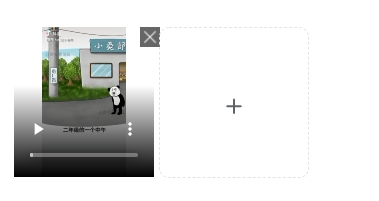
- 上传视频
<div>
    <div class="video-wrapper">
        <template v-if="uploadVideoList && uploadVideoList.length != 0" >
            <div class="img-list-item" v-for="(item, index) in uploadVideoList" :key="index">
                <video :src="item" controls="controls"></video>
                <i class="el-icon-error" @click="handleVideoRemove(item)"></i>
            </div>
        </template>
        <el-upload
            class="video-uploader"
            action=""
            :show-file-list="false"
            :http-request="handleVideoUpload"
            :before-upload="beforeUploadVideo"
            accept="video/mp4, video/avi, video/mov"
            :limit="5"
        >
            <i class="el-icon-plus avatar-uploader-icon" v-loading="uploadVideoLoading"></i>
        </el-upload>
    </div>
    <div slot="tip" class="el-upload__tip">最多可以上传5个视频,建议大小50MB,推荐格式mp4,宽高为1920*1080</div>
</div>
import { videoSize } from '@/utils'
export default{
    data(){
        return{
            form: {
                videoList: [],
            },
            uploadVideoList: [],
            uploadVideoLoading: false, // 加载中
        }
    },
    methods: {
         // 上传视频前
         beforeUploadVideo(file){
            const fileSize = file.size / 1024 / 1024 < 50
            const suffix = file.type == 'video/mp4' || file.type == 'video/avi' || file.type == 'video/mov'
            if(!suffix){
                this.$message.warning('上传的视频只能是mp4,avi,mov 格式!')
            }
            if(!fileSize){
                this.$message.warning('视频大小不能超过50MB')
            }
        },

        // 上传视频
        handleVideoUpload(param){
            const suffix = param.file.type == 'video/mp4' || aram.file.type == 'video/avi' || aram.file.type == 'video/mov'
            const isLt1M = param.file.size / 1024 / 1024 < 50
            const isSize = videoSize(param.file, 1920, 1080, this)
            if (suffix && isLt1M) {
                isSize.then(res =>{
                    this.uploadVideoLoading = true
                    let obj = new FormData()
                    obj.append('file', param.file)
                    obj.append("storageLocation", this.form.storageLocation)
                    advertiseUpload(obj).then(res => {
                        if(res.code == 200){
                            this.uploadVideoLoading = false
                            this.form.videoList.push(res.data)
                            this.uploadVideoList.push(`${process.env.VUE_APP_BASE_API}${res.data}`)
                        }else{
                            this.uploadVideoLoading = false
                        }
                    }).catch(err => {
                        this.uploadVideoLoading = false
                    })
                })
            }
        },

        // 移出视频
        handleVideoRemove(val){
            this.form.videoList.forEach((item, index) => {
                if(item == val){
                    this.form.videoList.splice(index, 1)
                }
            })
            this.uploadVideoList.forEach((item, index) => {
                if(item == val){
                    this.uploadVideoList.splice(index, 1)
                }
            })
        },

    }
}
.video-wrapper{
    display: flex;
    flex-wrap: wrap;
    .img-list-item {
        position: relative;
        margin: auto;
        .el-icon-error{
            position: absolute;
            top: 0;
            right: -1px;
            font-size: 24px;
            cursor: pointer;
        }
        video{
            width: 100px;
            height: 100px;
        }
    }

}
- 限制视频的宽高、时长
/**
 * 上传视频限制宽高
 *
 * width: 限制的视频宽度
 * height:限制的视频高度
 * **/
export const videoSize = (file, width, height, _this) => {
  return new Promise(function(resolve, reject){
    let _URL = window.URL || window.webkitURL
    let videoElement = document.createElement('video')
    videoElement.addEventListener('loadedmetadata', function(_event){
      let vwidth = videoElement.videoWidth
      let vheight = videoElement.videoHeight
      let duration = videoElement.duration; // 视频时长
      if(Math.floor(duration) >= 30) return _this.$message.warning('上传视频时长不能超过 30S!')
      let valid = vwidth === width && vheight === height
      valid ? resolve() : reject()
    })
    videoElement.src = _URL.createObjectURL(file)
  }).then(() => {
    return file
  }, (err) => {
    _this.$message.warning(`固定宽度为${width}px,高度为${height}px`)
    // console.log(err)
    return Promise.reject()
  })
}