第一种: 需要注意的是popper-class=“timeDate”
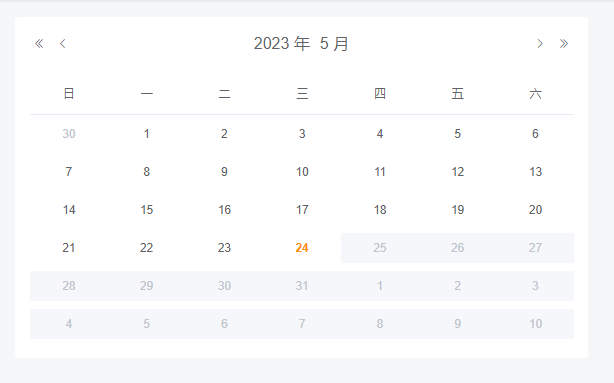
<template>
	<div class="container">
		<el-date-picker
			ref="datePick"
			class="inputClass"
			placeholder="选择日期"
			v-model="dateValue"
			type="date"
			:clearable="false"
			popper-class="timeDate"
			:picker-options="pickerOptions"
			@change="chooseDate"
			@blur="chooseDate"
		  />
	</div>
</template>

<script>
	export default{
		data(){
			return{
				dateValue: '',
				pickerOptions: {
                    // 设置禁用状态,参数为当前日期
					disabledDate(time) {
						return time.getTime() > Date.now();
					},
				}
			}
		},
		mounted() {
			// 让日历组件默认触发焦点事件
			this.$refs.datePick.focus();
		},
		methods: {
			// 选择日期后依旧触发焦点
			chooseDate(e){
				this.$refs.datePick.focus();
			},
		}
	}
</script>


<style lang="scss">
	// 这个样式需要写在app才有效,这个组件他是跟app平级的,popper-class="timeDate",给他加一个指定的样式,方便修改项目中如果有多个不同的日期组件样式
	.timeDate.el-picker-panel.el-date-picker.el-popper{
	  top: 100px !important;
	  // left: 0 !important;
	  border: none !important;
	  box-shadow: none !important;
	}
	.timeDate.el-date-picker{
	  width: 573px;
	}
	.timeDate.el-date-picker .el-picker-panel__content{
	  width: 95% !important;
	}

	.timeDate.el-popper .popper__arrow, .el-popper .popper__arrow::after {
	  display: none !important;
	}
	.el-date-table td.today span {
	  color: #ff9000;
	}
	.el-date-table td.current:not(.disabled) span {
	  color: #FFF;
	  background-color: #ff9000;
	}
	.el-date-table td.available:hover {
	  color: #ff9000;
	}
</style>

<style lang="scss" scoped>
	//隐藏日期文本框
	.inputClass.el-date-editor.inputClass.el-input.el-input--prefix.el-input--suffix.el-date-editor--date{
		opacity: 0 !important;
	    cursor: default;
	}
</style>
第二种:
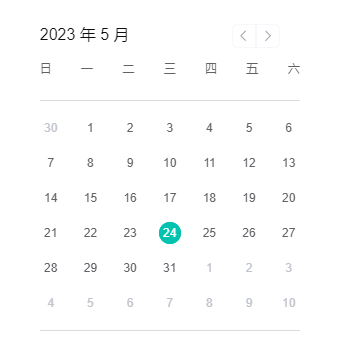
<template>
    <div class="content-left">
        <el-calendar
            ref="calendarBtn"
            v-model="calendarTime"
            :first-day-of-week="7"
            class="calendarLit"
        >
		    <template slot="dateCell" slot-scope="{date, data}">
			    <p :class="data.isSelected ? 'is-selected' : ''">
					{{ parseInt(data.day.split('-').slice(2).join('-')) }}
			    </p>
		    </template>
	    </el-calendar>
	    <div id="button">
		    <el-button @click="clickPrevious">
		    <i class="el-icon-arrow-left" />
		    </el-button>
		    <el-button @click="clickNext">
			    <i class="el-icon-arrow-right" />
		    </el-button>
	    </div>
    </div>
</template>

<script>
    export default{
        data(){
            return{
                calendarTime: new Date(),
            }
        },
        methods: {
            clickPrevious() {
			  this.$refs.calendarBtn.$children[0].$children[0].$el.click()
			},
			clickNext() {
			  this.$refs.calendarBtn.selectDate('next-month')
			}
        },
    }
</script>